

You want the content. You don’t want the paper trail. Fair enough.
This guide explains exactly how to buy digital books, e-magazines, and photo collections from JBB – Mary Sxx Shop using cryptocurrency — either through Binance Pay (the easiest option) or directly from your own crypto wallet (the most private one).
No bank statement. No card record. Just you, your download, and nothing else. Learn How to Buy Digital Products Privately with Crypto.

Why pay with crypto? – How to Buy Digital Products Privately with Crypto
-
No bank record. Your card statement won’t show the store name.
-
No KYC on our side. We don’t ask for ID or personal documents.
-
Faster checkout. Once set up, paying takes under a minute.
-
Global. No currency conversion, no declined cards, no geographic limits.
If discretion matters to you, crypto is the cleanest way to buy.
Option 1 — Pay with Binance Pay (easiest)
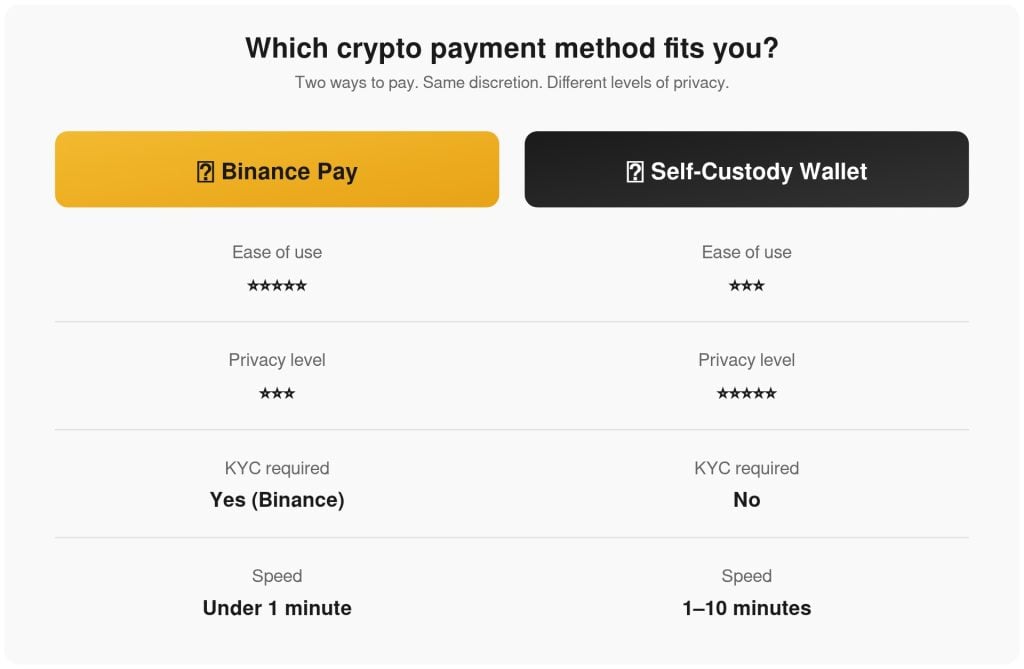
Binance Pay is the simplest method if you already have a Binance account.
Step 1. Open your Binance app and log in.
Step 2. Make sure you have a balance in USDT (or another supported coin) in your Funding Wallet.
Step 3. Go to the JBB checkout and select Binance Pay.
Step 4. Click Place order. A QR code will appear.
Step 5. Open Binance → tap the scan icon → scan the QR code.
Step 6. Confirm the payment amount and tap Pay.
Step 7. Within seconds, you’ll receive a confirmation. Your download link is emailed automatically.
That’s it. No need to copy wallet addresses. No need to worry about network fees — Binance Pay handles that for you.
Tip: always keep a small USDT balance in your Funding Wallet so you don’t miss a limited drop.
Option 2 — Pay directly with your crypto wallet (most private)
This is the method for people who prefer to keep full control of their funds.
Supported coins: USDT, USDC, BTC, ETH, and 100+ others through our crypto gateway.
Step 1. Get a wallet.
Use a self-custody wallet such as Trust Wallet, MetaMask, Exodus, or Ledger. Avoid exchange wallets for this step if you want maximum privacy.
Step 2. Fund your wallet.
Buy the crypto you want to spend (usually USDT or BTC) and send it to your wallet address.
Step 3. Go to the JBB checkout and select Pay with Crypto! – Maximum Privacy.
Step 4. Click Place order. You’ll see a payment window with:
-
The exact amount
-
The wallet address
-
A QR code
-
A countdown timer (usually 15–30 minutes)
Step 5. Send the exact amount from your wallet to the address shown.
-
Copy the address carefully.
-
Or scan the QR code with your wallet app.
-
Do not send a different coin than the one selected.
Step 6. Wait for confirmation.
Once the network confirms the transaction (usually 1–10 minutes depending on the coin), the system detects your payment and emails your download link automatically.
Step 7. Download your files and store them on a secure drive.
Important: if the timer expires before you send the payment, don’t worry — just refresh the checkout and generate a new payment window.
Which coin should I use?
| Coin | Speed | Fees | Best for |
|---|---|---|---|
| USDT (TRC20) | ~1 min | Very low | Fast, cheap payments |
| USDT (ERC20) | ~2–5 min | Medium | Ethereum users |
| BTC | 10–60 min | Variable | Long-term holders |
| ETH | 2–5 min | Medium | Ethereum users |
| USDC | ~1 min | Low | Stable, safe |
Recommendation: if you’re new to crypto payments, use USDT on the TRC20 network. It’s fast, cheap, and widely supported.
Common questions
Do I need to verify my identity?
No. We don’t ask for KYC. Your crypto payment is enough.
Will the store name appear anywhere?
No. Crypto transactions show only a wallet address — nothing else.
What if I send the wrong amount?
The system waits for the exact amount. If you send less, the payment may not be detected. If you send more, contact us and we’ll sort it out.
What if I send the wrong coin?
That’s a problem. Coins sent to the wrong network are usually lost. Always double-check the coin and network before sending.
How fast do I get my download?
As soon as the network confirms your transaction, the download link is emailed to you automatically.
Can I use Binance without KYC?
Binance requires KYC to use their platform. If you want full anonymity, use a self-custody wallet (Option 2).
The bottom line: How to Buy Digital Products Privately with Crypto
Buying digital books privately is simple once you know how.
-
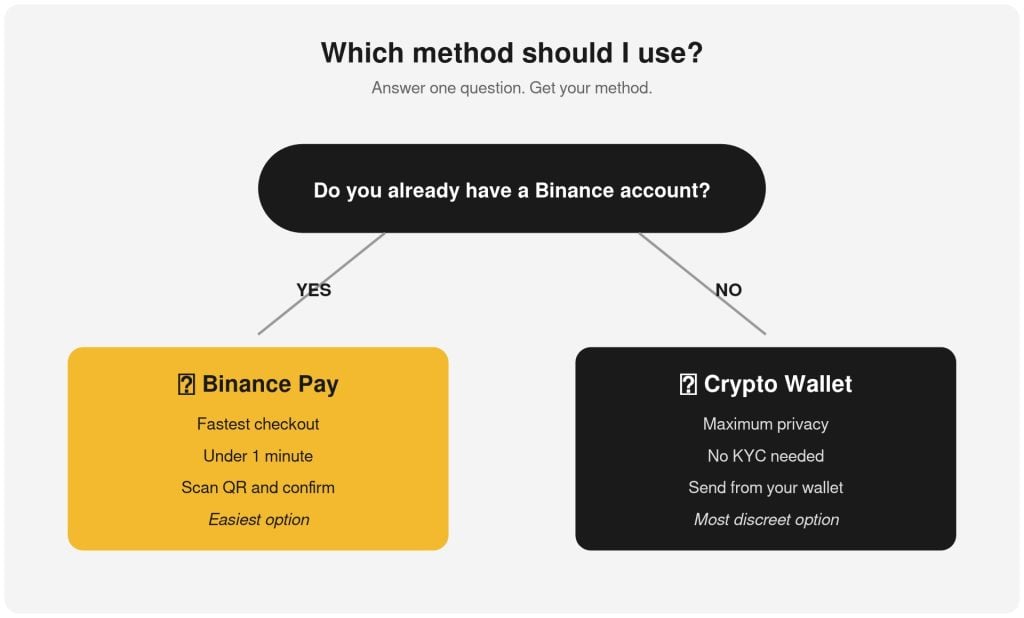
Use Binance Pay if you want the easiest route.
-
Use a self-custody wallet if you want maximum privacy.
Either way: no bank record, no ID, no trace.
Browse the shop, pick what you want, and check out with crypto. That’s it.